Screen Recording Audit Solution
Overview
I designed and developed an integrated screen recording and AI transcription platform for FC Drive, an enterprise automotive F&I platform used by over 2,000 dealerships across Canada. The platform transformed customer finance presentations into searchable compliance records.
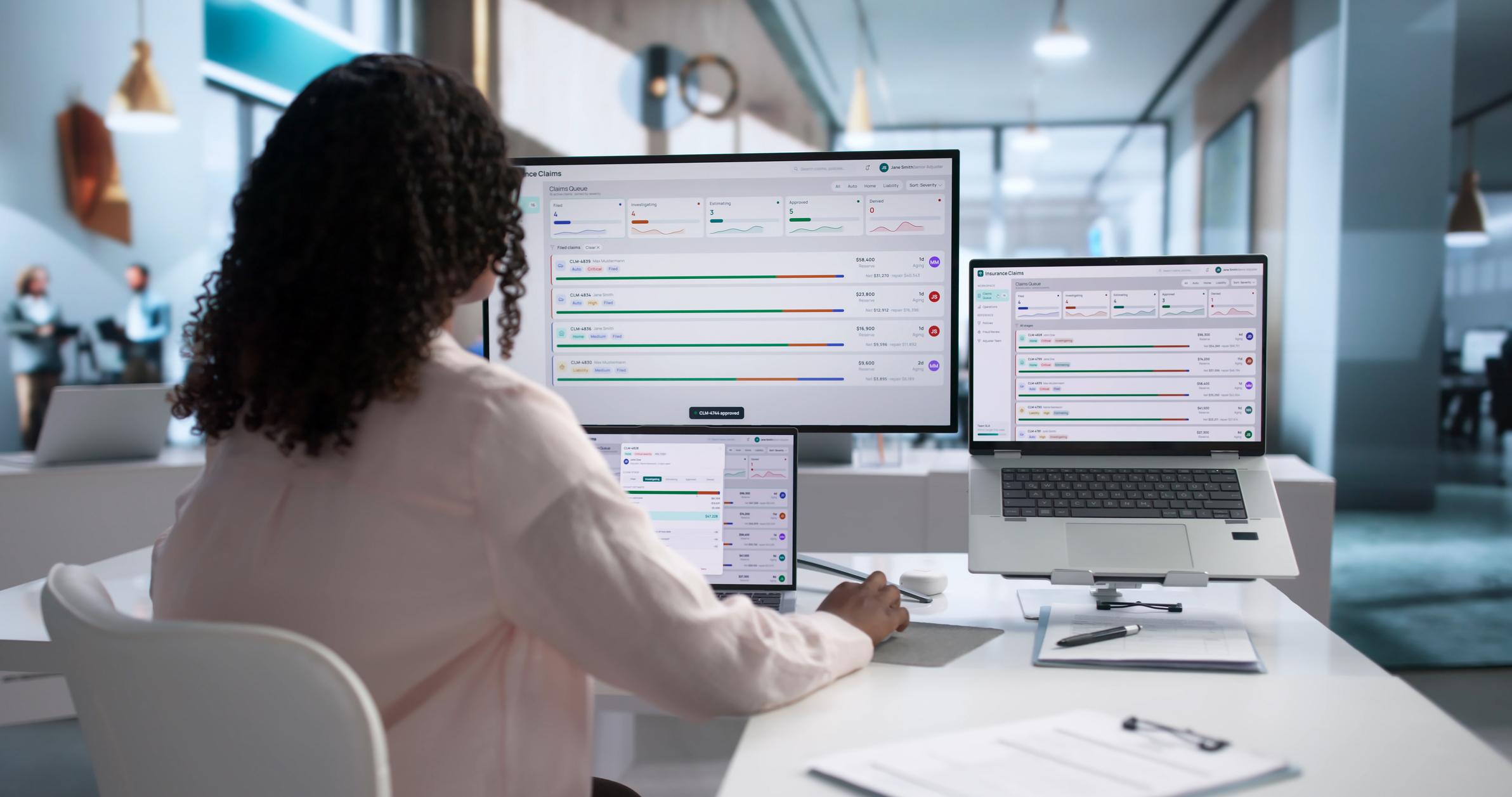
The platform automatically recorded each presentation, synchronized AI-generated transcripts with video at the word level, tracked presentation events in real time, and generated searchable PDF audit reports. By integrating directly into the existing dealership workflow, it enabled compliance reviews, dispute resolution, and employee coaching without disrupting the sales process.
Problem
Finance & Insurance (F&I) Managers conduct customer presentations involving optional protection products, financing, warranties, and contractual disclosures. These interactions directly influence purchasing decisions and must comply with dealership policies and regulatory requirements.
When customer disputes arose or compliance reviews were required, dealerships often had little more than completed paperwork and employee recollections to rely on. There was no reliable way to verify which products were presented, what was discussed, whether required disclosures were made, or how the presentation unfolded.
Reviewing lengthy screen recordings was also time-consuming, making compliance audits and employee coaching inefficient.
Without visibility into the presentation process, dealerships faced several challenges:
- Customer disputes over whether products or pricing were disclosed.
- Required disclosures could be unintentionally skipped.
- Sales presentations varied significantly between Finance Managers.
- Limited visibility into customer interactions for dealership leadership.
- Compliance audits relied primarily on paperwork instead of the actual presentation.
As adoption grew across dealerships, the platform also surfaced a second, more operational problem: recordings and their supporting media (signatures, disclosure PDFs) were being written to local application disk, and with 2,000+ dealerships recording live in production, local storage capacity became a real constraint that had to be solved without interrupting recordings already in progress.
Solution
I designed and developed an integrated screen auditing platform that automatically recorded each Finance Manager’s digital sales presentation from start to finish.
Each recording captured the complete presentation workflow, including:
- Customer information
- Vehicle details
- Product bundle selections
- Pricing updates
- Presentation changes as they occurred
To make recordings searchable and significantly easier to review, the platform integrated with AssemblyAI to automatically generate speaker-separated transcripts after each session.
Completed transcripts powered several advanced audit and playback features:
- Synchronized subtitles during video playback
- Word-level transcript highlighting synchronized with the video timeline
- Full-text transcript search
- Speaker identification (diarization)
- Automatically generated PDF audit reports
- Presentation event tracking embedded directly within the transcript timeline
Beyond recording conversations, the platform captured Finance Manager interactions throughout the presentation. Actions such as adding products, removing products, and toggling product visibility were recorded as timestamped events and inserted into the transcript timeline, allowing reviewers to understand not only what was said, but also what actions occurred during the presentation.
Managers could replay presentations while following synchronized subtitles, watching each spoken word highlight in real time, searching conversations instantly, and reviewing the exact sequence of product changes throughout the customer interaction.
Since recordings run unattended for the duration of a live customer presentation, the platform also had to account for how presentations actually end in practice — not just the clean case of a Finance Manager clicking “stop.” That requirement shaped a large part of the underlying engineering, covered below.
Impact
The platform transformed traditional screen recordings into searchable compliance records, enabling dealerships to:
- Resolve customer disputes using synchronized recordings and transcripts.
- Verify compliance with dealership sales procedures.
- Search conversations instead of manually reviewing lengthy recordings.
- Generate standardized audit documentation.
- Coach Finance Managers using real customer presentations.
- Reduce the time required for internal compliance reviews.
The solution integrated seamlessly into the existing FC Drive workflow, providing dealerships with a complete digital audit trail for every F&I presentation. The migration to Azure Blob Storage was completed against a live, in-production system with zero data loss and no disruption to recordings already underway, and the self-healing recovery jobs eliminated the class of recordings that would otherwise have been silently lost to browser crashes or abandoned sessions.
Technical Challenges
This project presented several engineering challenges beyond traditional CRUD application development.
- Extended a large legacy enterprise platform without disrupting existing dealership workflows.
- Built a resilient recording pipeline that periodically uploaded recording segments, preventing data loss if the browser crashed or unexpectedly closed.
- Designed asynchronous recording finalization so completed sessions could continue processing after the browser exited.
- Controlled recording from the Finance Manager interface while securely capturing the customer’s presentation window.
- Offloaded FFmpeg media processing to queued background workers to eliminate client-side processing overhead.
- Migrated recordings and related media from local disk to Azure Blob Storage while the system was live in production, including backfilling existing files via scheduled commands and streaming playback directly from Azure using time-boxed SAS tokens rather than serving from local application servers.
- Integrated AI transcription with speaker diarization, subtitle synchronization, and full-text search.
- Developed presentation event tracking that synchronized Finance Manager actions such as adding, removing, and toggling product visibility during customer presentations.
- Built precise timestamp synchronization between application events, transcripts, and video playback to create a unified timeline of customer conversations and user interactions.
- Implemented word-level transcript synchronization, allowing every spoken word to highlight in real time during playback.
- Generated multilingual PDF audit reports with speaker attribution.
- Implemented cross-browser screen recording despite significant differences in screen capture APIs and browser security restrictions.
- Refactored partial recording ingestion into a Laravel pipeline (
WithinTimeLimit→StoreFileLocally→CreateThumbnails→CreatePartialRecording) so time-limit enforcement, storage, thumbnail generation, and persistence became independently testable, ordered steps instead of a single monolithic controller method. - Stood up a dedicated logging system, separate from Laravel’s default application log, specifically for diagnosing recording pipeline failures in production.
Engineering Deep Dive
Migrating Live Recordings to Azure Blob Storage
Recordings — along with related media like signature images and disclosure PDFs — were originally written to local disk on the Laravel application servers. As adoption grew past 2,000 dealerships, local storage began filling up while the system was already live in production, so there was no window to take recording offline for a clean cutover.
The migration had three parts:
- Completed recordings were converted to blobs and streamed into Azure Blob Storage as part of normal processing.
- A set of scheduled commands (
move:recordings-to-azure) walked existingDealMediarecords in chunks and moved historical recordings, signature images, and disclosure PDFs to Azure without any of them becoming unreadable mid-migration. - Because Azure Blob Storage is access-controlled, video playback needed a way to stream directly from Azure rather than through the application server. I implemented Shared Access Signature (SAS) tokens scoped to a single blob, read-only, IP-restricted to the requesting client, and time-boxed to the configured recording time limit — generated on demand so playback could be done without interruption.
Purpose-Built Logging for the Recording Pipeline
Recording failures are asynchronous, multi-stage, and easy to lose in general application logs — a bug might originate in the browser, surface during partial storage, and only manifest visibly during the ffmpeg concat step minutes later. Rather than rely on Laravel’s default log channel, I built dedicated logging facades (RecordingLog and FinalRecordingLog) backed by their own Monolog channels, so partial-recording activity and final-merge activity could be traced end-to-end independent of the rest of the application’s logs.
Two details make this more than a renamed Log::info():
RecordingLogauto-captures its own call site.__callStaticgrabsdebug_backtrace()[1]on every call and passes the calling class and function into the log context before writing to therecordingschannel, so every entry records where in the pipeline it was written without any caller having to pass that in manually.- A custom Monolog formatter (
RecordingLogger) taps every handler on the channel to rewrite the line format to[%datetime%] [%context.class%@%context.function%] %channel%.%level_name%: %message%, so a raw log tail reads as[2025-01-01 10:00:00] [EncodePartialRecording@handle] recordings.INFO: ...— the origin of every line is visible at a glance instead of buried in a generic message string.
Combined with the [Deal: X Recording/Partial: Y] prefix passed into each message, this made it possible to grep a single deal’s entire recording lifecycle — partial storage, encoding, merging, cloud migration, thumbnail generation, transcription — out of the logs, and know exactly which class and method emitted each line, when investigating a production issue.
Project Scope
Backend
- Recording pipeline
- Media processing
- AI transcription
- Event tracking
- Timeline synchronization
- Queue workers
- Webhook processing
- Audit reporting
- Cloud storage migration
- Self-healing recovery jobs
Frontend
- Browser screen capture
- Recording controls
- Video playback
- Transcript viewer
- Word-level transcript highlighting
- Event timeline visualization
- Subtitle synchronization
Infrastructure
- Azure Blob Storage
- Background queue processing
- Media streaming
- Custom logging channels